
The best AI tools for freelancers can do more than generate polished text. They can help move a project forward without inventing requirements, overlooking constraints, or creating extra work.
For this comparison, I gave ChatGPT, Claude, and Gemini the same fictional freelance project: a neighborhood restaurant website with a tight budget, a four-week launch target, and incomplete client information. I then used the three assistants across five practical tests that mirror common freelance tasks.
This comparison focuses on the best AI tools for freelancers when the work involves real constraints, incomplete information, and client communication. You can also compare these results with our ChatGPT vs Gemini for small business.
Quick Verdict
⚙️ Best for: ChatGPT was the strongest overall choice for structured freelance work, especially project planning, scope analysis, and handling incomplete client information.

🧩 Main limitation: All three tools introduced some assumptions or additional possibilities. Freelancers should still verify project details before sending a proposal or making a commitment.

🏆 Overall verdict: ChatGPT was the most consistent across the five tasks.

The Freelance Project Used in the Tests
Client: Oakwood Bistro, a fictional neighborhood restaurant.
Project: Modernize the restaurant website, present the menu, support reservations, and provide contact information.
Constraints: Maximum budget of $2,500; desired first launch within four weeks; solo freelancer availability of 10 hours per week.
Missing information: Final menu copy, photos, written website content, and complete reservation details.
How I Tested the Best AI Tools for Freelancers
Each tool received the same project context and was evaluated on practical usefulness, faithfulness to the briefing, handling of ambiguity, and ability to identify risks. The screenshots below are the official cropped prints from each test.
Test 1: Writing a Client Proposal
What the Prompt Asked
Create a clear proposal or client-facing response without pretending that missing details had already been decided.
ChatGPT
ChatGPT produced a concise, professional response that confirmed the known goals and asked focused questions about the reservation process, content, page count, and approval process.
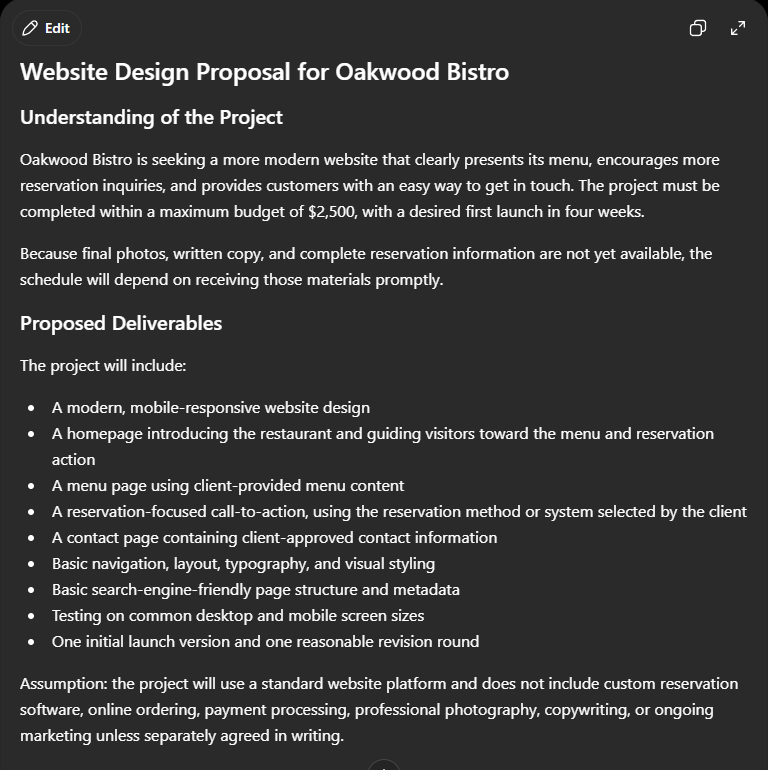
ChatGPT, Test 1, official screenshot: Writing a Client Proposal.
Claude
Claude created a polished proposal and identified several unknowns. It was helpful, but it occasionally expanded the scope beyond what the briefing actually confirmed.
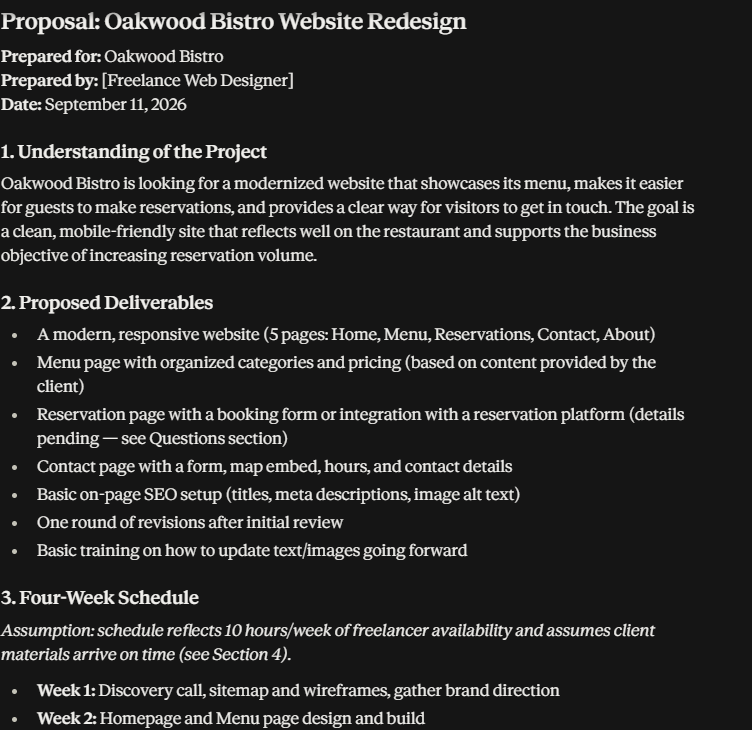
Claude, Test 1, official screenshot: Writing a Client Proposal.
Gemini
Gemini presented the project clearly and included useful questions about content, branding, hosting, and reservation setup. Its response was professional, though it added a few assumptions about deliverables.
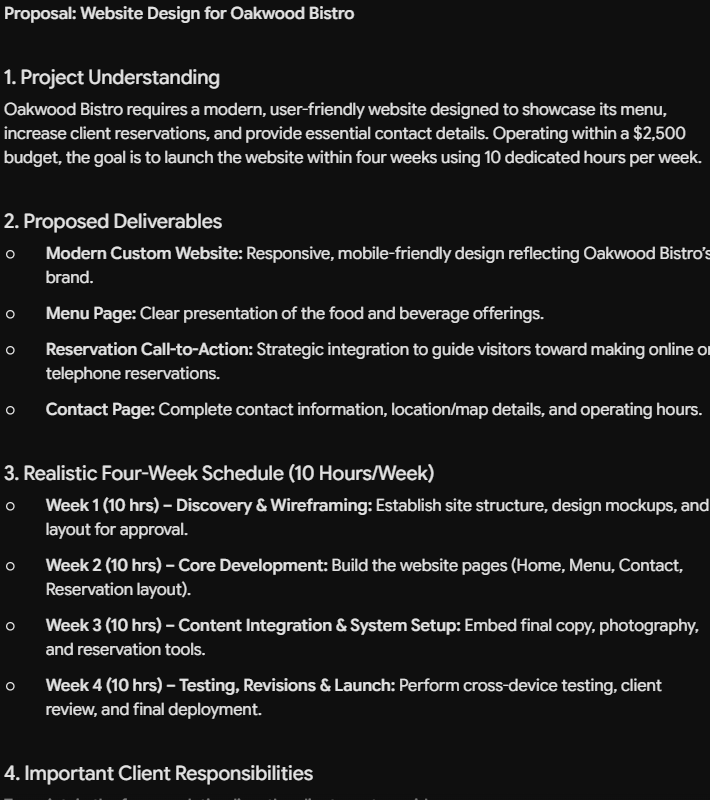
Gemini, Test 1, official screenshot: Writing a Client Proposal.
ChatGPT was the best starting point because it stayed close to the confirmed brief while still asking the questions needed to finish the proposal.
Test 2: Analyzing an Ambiguous Briefing
What the Prompt Asked
Separate confirmed facts from missing information, identify the most important questions, and explain the risks of starting too early.
ChatGPT
ChatGPT clearly separated what was known from what was ambiguous and prioritized questions that could change cost, schedule, or scope.
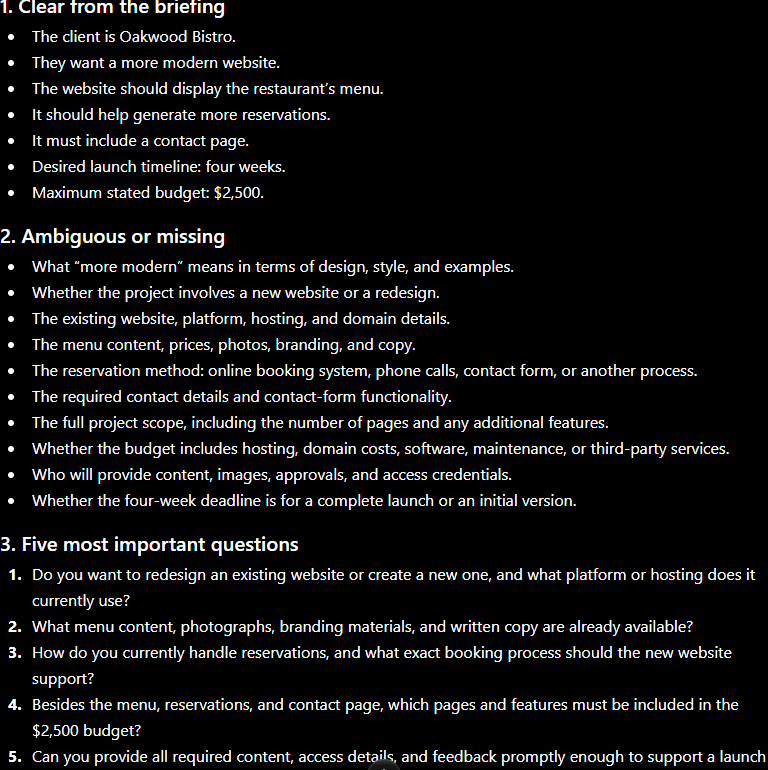
ChatGPT, Test 2, official screenshot: Analyzing an Ambiguous Briefing.
Claude
Claude gave a thorough analysis with strong risk identification. Its main weakness was adding possible requirements that were not explicitly present in the briefing.
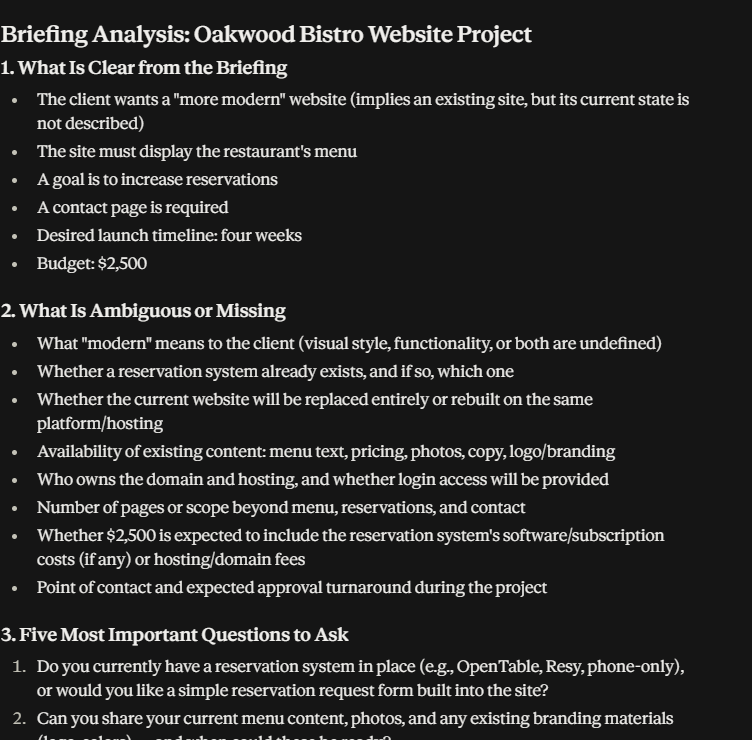
Claude, Test 2, official screenshot: Analyzing an Ambiguous Briefing.
Gemini
Gemini organized the ambiguity well and highlighted reservation, content, hosting, and approval questions. It was useful, but slightly more expansive than necessary.
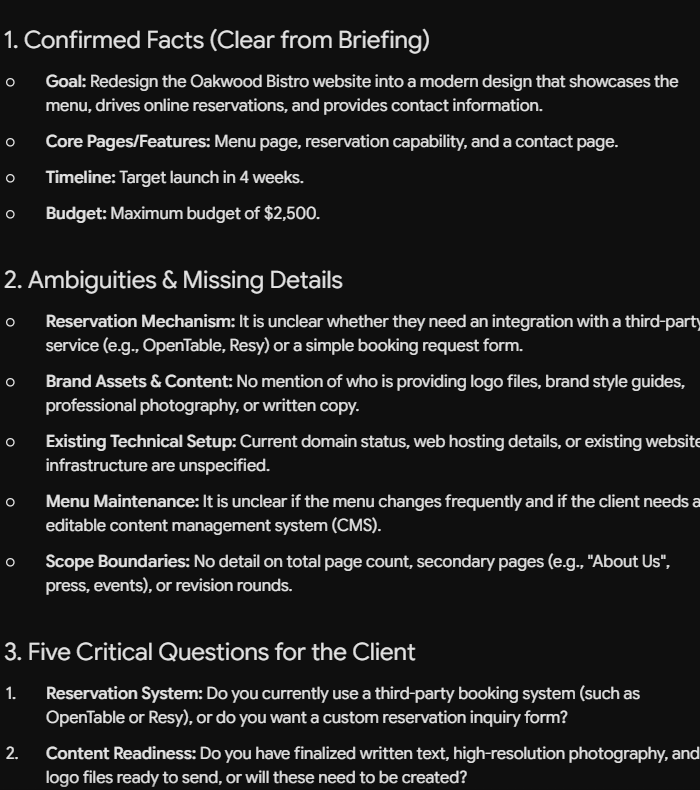
Gemini, Test 2, official screenshot: Analyzing an Ambiguous Briefing.
ChatGPT was the clearest at distinguishing facts from assumptions and at prioritizing the questions that mattered most.
Test 3: Building a Four-Week Project Plan
What the Prompt Asked
Turn the project into a realistic four-week schedule within the freelancer’s limit of 10 hours per week.
ChatGPT
ChatGPT created a practical week-by-week plan that respected the 40-hour capacity and made dependencies visible.
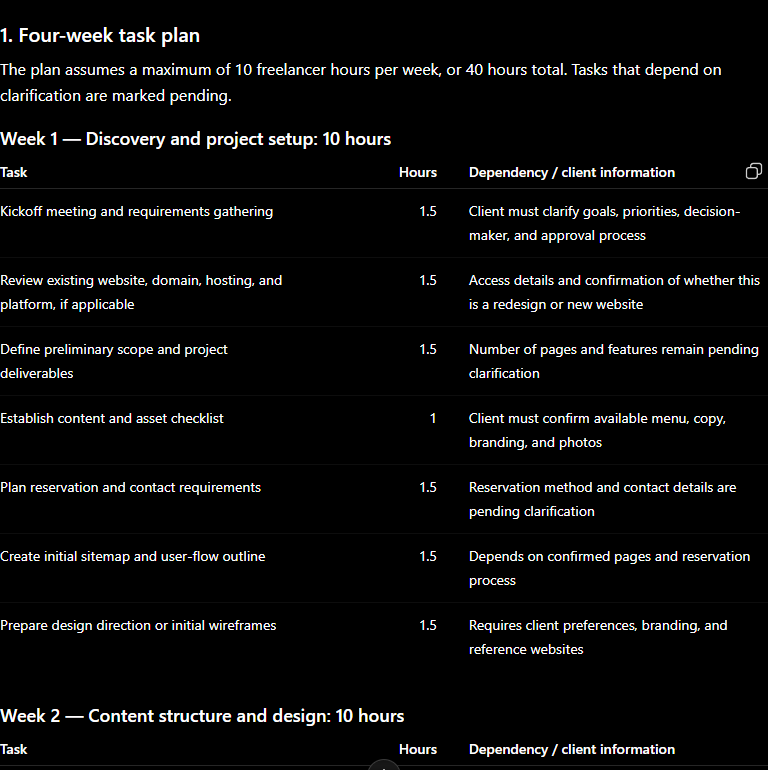
ChatGPT, Test 3, official screenshot: Building a Four-Week Project Plan.
Claude
Claude created a detailed plan, but its estimated workload reached 44 hours—more than the available 40 hours—leaving no buffer for unexpected issues.
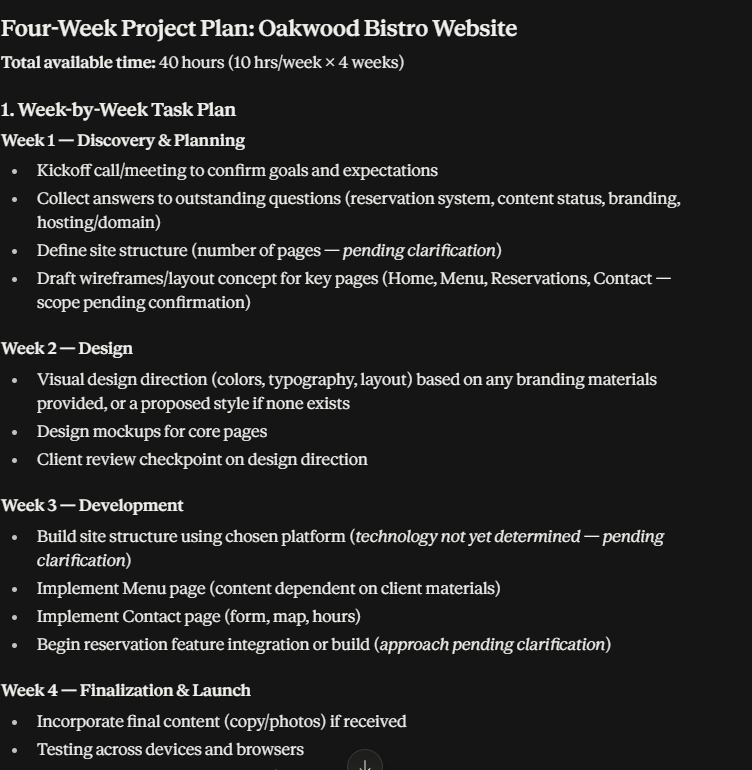
Claude, Test 3, official screenshot: Building a Four-Week Project Plan.
Gemini
Gemini divided the work into setup, design, development, and launch. The plan was easy to follow, while some technical and content assumptions remained unresolved.
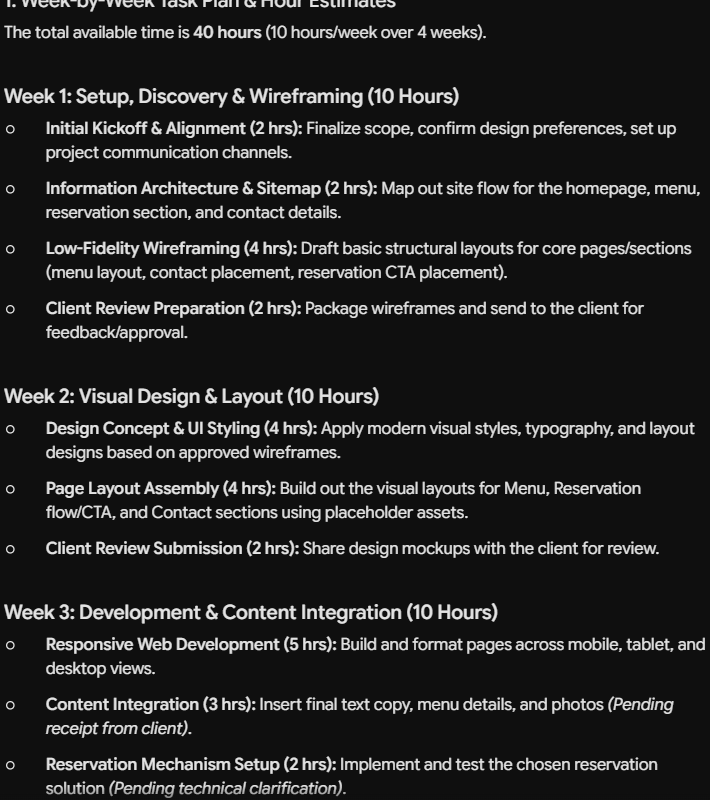
Gemini, Test 3, official screenshot: Building a Four-Week Project Plan.
ChatGPT was the most realistic fit for the stated 40-hour capacity. Claude’s 44-hour estimate was a useful warning, but it did not fit the constraint.
Test 4: Reviewing Scope and Delivery Risk
What the Prompt Asked
Find vague or expandable scope items, identify the three most serious delivery risks, and suggest questions or contract language to control scope.
ChatGPT
ChatGPT identified the undefined reservation outcome, missing client materials, and ambiguous meaning of “modern” as the central risks. It also connected those risks directly to the budget and deadline.
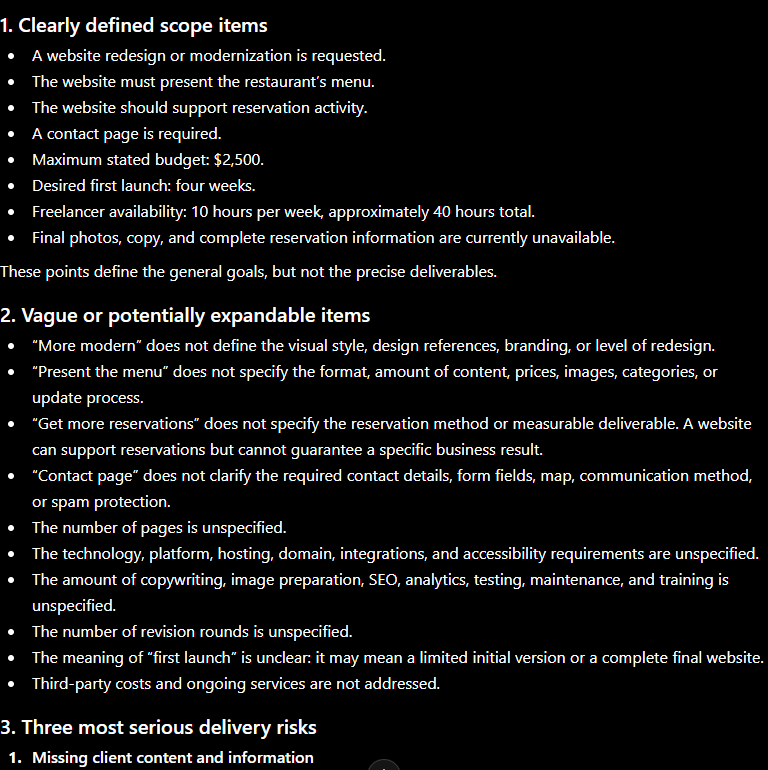
ChatGPT, Test 4, official screenshot: Reviewing Scope and Delivery Risk.
Claude
Claude offered a deep scope review and useful sample language for proposals and contracts. The analysis was strong, but it introduced more possible requirements than the briefing established.
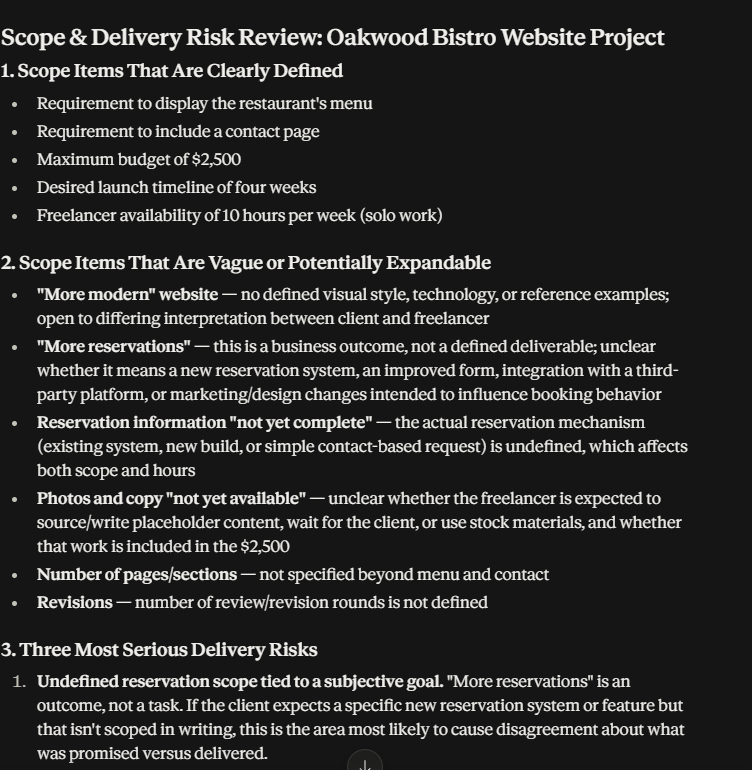
Claude, Test 4, official screenshot: Reviewing Scope and Delivery Risk.
Gemini
Gemini clearly highlighted content dependency, reservation-system scope creep, and subjective approval loops. Its suggested clauses were practical, though still dependent on client clarification.
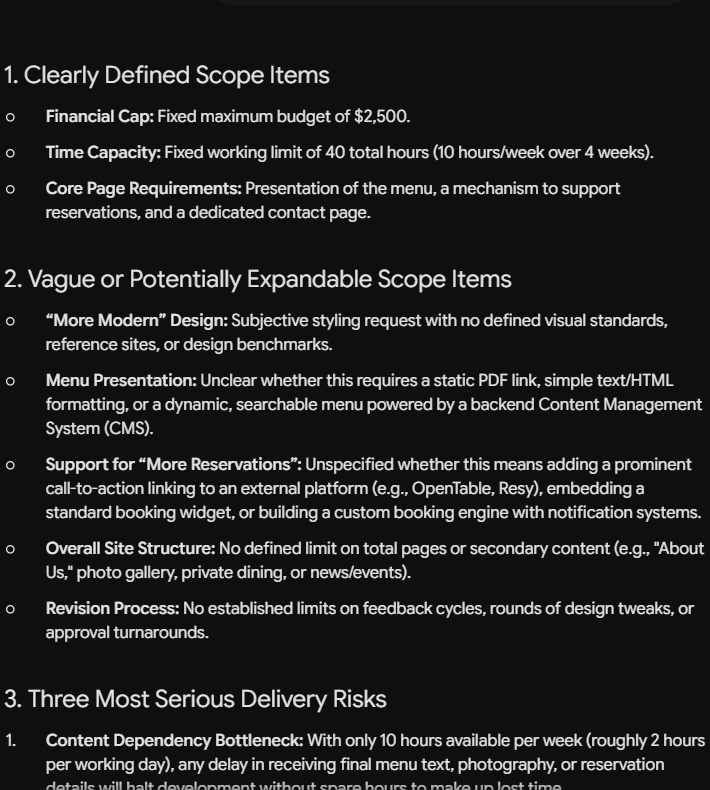
Gemini, Test 4, official screenshot: Reviewing Scope and Delivery Risk.
ChatGPT provided the most actionable risk review with the fewest unsupported additions.
Test 5: Writing a Client Follow-Up Email
What the Prompt Asked
Write a concise follow-up message that recaps the project, requests the missing information, and keeps the next step clear.
ChatGPT
ChatGPT wrote a client-ready follow-up that restated the confirmed goals, requested the missing materials, and asked five useful questions without overpromising.
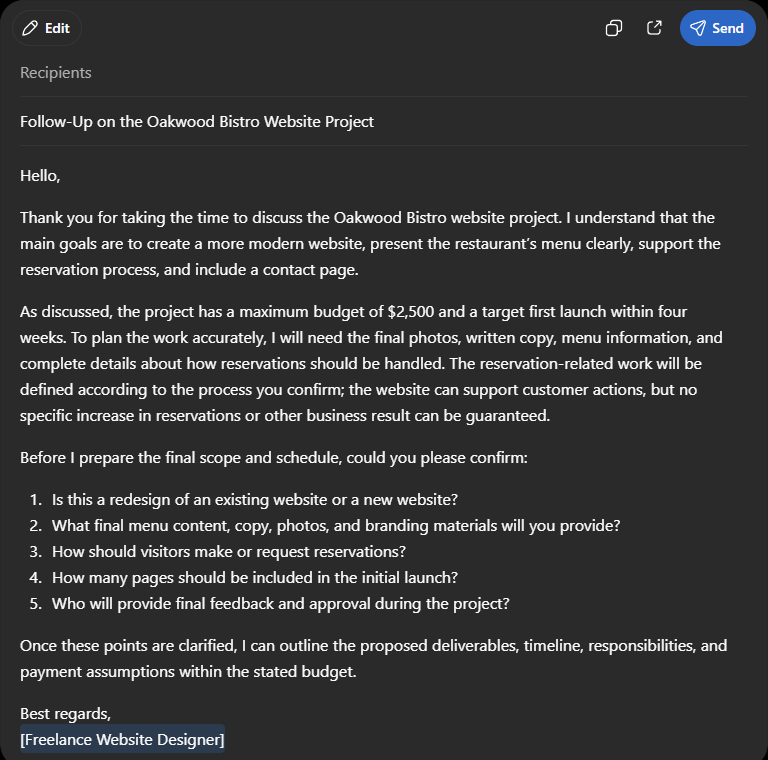
ChatGPT, Test 5, official screenshot: Writing a Client Follow-Up Email.
Claude
Claude produced a warm, professional follow-up email and correctly focused on the unanswered project details.
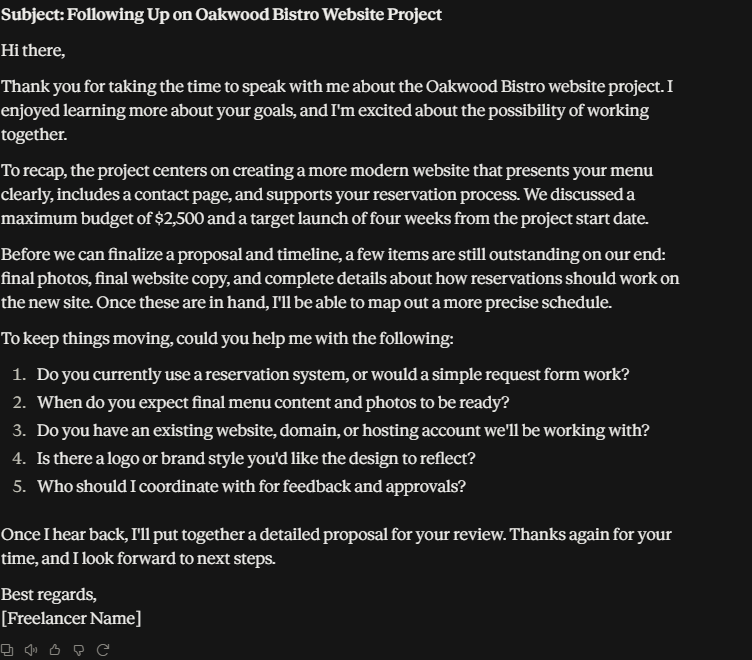
Claude, Test 5, official screenshot: Writing a Client Follow-Up Email.
Gemini
Gemini also created a clear follow-up email with five practical questions and a direct next step.
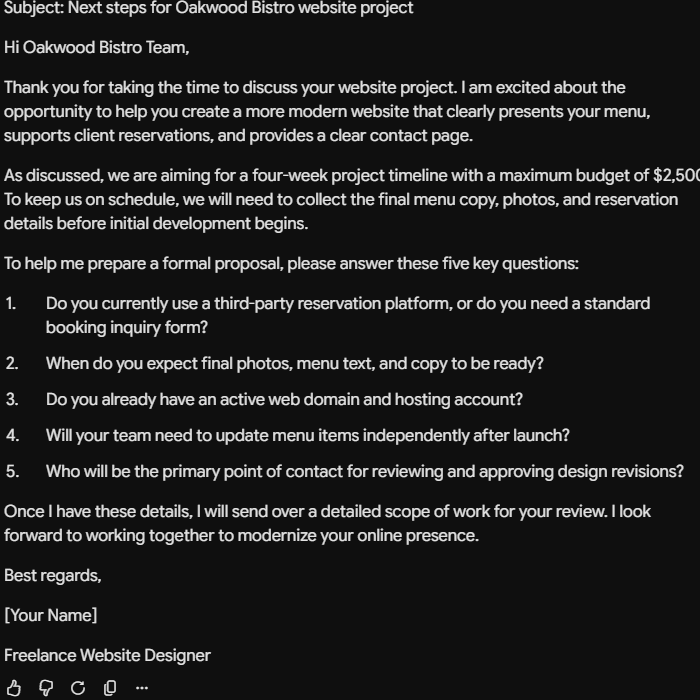
Gemini, Test 5, official screenshot: Writing a Client Follow-Up Email.
All three tools produced usable emails, but ChatGPT was the most balanced and precise.
Overall Comparison
ChatGPT
ChatGPT was the most consistent across all five tests. It preserved the known constraints, treated missing information as missing, and translated ambiguity into practical next questions.
Claude
Claude was strong at detailed analysis and professional writing. Its main limitation was scope expansion: it often explored possibilities that had not been confirmed by the client.
Gemini
Gemini produced clear, organized outputs and useful client-facing language. It was helpful for brainstorming and structure, but it also made more assumptions than ChatGPT.
Final Results
| Test | Winner |
| Test 1 | ChatGPT |
| Test 2 | ChatGPT |
| Test 3 | ChatGPT |
| Test 4 | ChatGPT |
| Test 5 | ChatGPT |
Final Score
ChatGPT: 5 wins | Claude: 0 wins | Gemini: 0 wins
⚙️ Best for: ChatGPT for constraint-aware planning, risk review, and client communication; Claude for detailed analysis; Gemini for structured brainstorming and polished drafts.
🧩 Main limitation: A strong draft is not the same as a confirmed project decision. Human review is still essential when the output affects pricing, deadlines, contracts, or client expectations.
🏆 Overall verdict: There was no single tool that eliminated the need for judgment, but ChatGPT was the clear winner in this five-test comparison because it introduced the fewest unsupported assumptions.
Final Takeaway
For freelancers, the most valuable AI assistant is not necessarily the one that writes the longest answer. It is the one that helps define the work accurately, respects constraints, identifies what is still unknown, and produces communication that can be used with a real client.
In this comparison, ChatGPT was the best overall fit for that workflow. Claude and Gemini remain useful alternatives—especially when you want deeper exploration or multiple draft options—but their outputs need more careful checking against the original brief.
Limitations of This Comparison
This was a small, scenario-based comparison using one fictional freelance project.
The results reflect these prompts and outputs, not every model version, plan, or possible use case.
AI products change frequently, so features and performance may differ over time.
The final decision should still depend on your workflow, budget, privacy requirements, and the type of freelance work you do.
Frequently Asked Questions
Which AI tool performed best in these freelance tests?
ChatGPT had the strongest overall result because it introduced the fewest unsupported assumptions, while Claude and Gemini were useful for detailed analysis and alternative drafts.
Does this mean ChatGPT is always the best choice?
No. This was a small, scenario-based comparison using one fictional project. Results can change with the brief, model version, plan, and type of freelance work.
What should freelancers check before using output with a client?
Confirm facts, scope, pricing, deadlines, contracts, and client expectations. Human review remains essential whenever the output affects a real project.
Do freelancers need powerful hardware to use these tools?
The workflows tested here used browser-based AI tools, so they do not require a high-end local AI workstation. This article does not evaluate running large models locally.
Recommended Reading
A Practical Work Setup Note
The workflows in this article used browser-based AI tools, so a dedicated local AI workstation is not required for research, writing, client communication, and everyday AI-assisted work. If you are comparing practical laptops for that kind of setup, you can view this Lenovo IdeaPad 1i on Amazon. This is an affiliate link, which means Prompt Atlas may earn a commission at no additional cost to you. Product details, price, and availability can change.
Leave a Reply