
In this Brevo AI review, I tested whether Aura can help a small business write a useful campaign email. I used its AI text and subject-line tools in a free account, with one fictional consulting business and one campaign draft. Aura followed the main factual guardrails and corrected three specific issues when asked. The resulting email still needed formatting and a working booking link before any real campaign could go out.
Quick Verdict
For a small business that already wants an email marketing platform, Aura is a convenient starting point for copy and subject ideas. In this test it did not create unsupported customer stories or performance figures. Its first draft mixed a subject line into the email body, omitted one service from the brief, and left a bracketed call-to-action placeholder. A targeted revision fixed those omissions, but it did not transform the draft into a finished campaign.
Brevo AI Review: How I Tested Aura
I used Brevo’s Free plan and created a draft named “TEST — Harbor & Pine Consulting — AI email review.” Harbor & Pine is a fictional US firm offering AI workflow consulting to owners of businesses with 5–50 employees. I asked Aura for a 120–160-word email inviting a free 20-minute discovery call. The brief supplied the services, audience, tone, workflow examples, and a list of facts the AI must not invent. I then tested a specific rewrite, generated subject options, and inspected the desktop and narrow-screen previews. These are checks of one email workflow, not five independent campaigns. No live campaign was scheduled or sent to a customer list.
The Brief and First Draft
My preserved instruction asked Aura to cover workflow mapping, possible AI-assisted steps, a pilot with human review, and staff training. It allowed inbox triage and appointment follow-up as examples, while prohibiting invented clients, testimonials, revenue, time savings, guarantees, awards, statistics, prices, and years in business. It also prohibited making up a booking URL.
Exact prompt used: “Write a concise marketing email in US English for Harbor & Pine Consulting, a fictional AI workflow consulting firm. Audience: owners of small US businesses with 5–50 employees. Goal: invite them to book a free 20-minute discovery call about repetitive administrative work. Services: map current workflows, identify suitable AI-assisted steps, set up a pilot with human review, and train staff. Mention examples such as inbox triage and appointment follow-up as possibilities, not proven results. Tone: practical, professional, trustworthy; 120–160 words; include a clear CTA without inventing a booking URL. Do not invent customer names, testimonials, revenue figures, time saved, guarantees, awards, statistics, prices, or years in business. Do not imply that confidential data should be fed into AI without review.”
Aura produced a professional-sounding email with a discovery-call invitation. It did not add a named customer or a made-up result. But it placed “Subject: Streamline Your Workflow with AI Assistance” at the start of the body, omitted staff training, and ended with “[Call to Action: Schedule your discovery call today].” That bracketed text was a placeholder, not a functioning call-to-action button. The original output also used the generic greeting “Dear Business Owner.”
Could Aura Follow a Precise Edit?
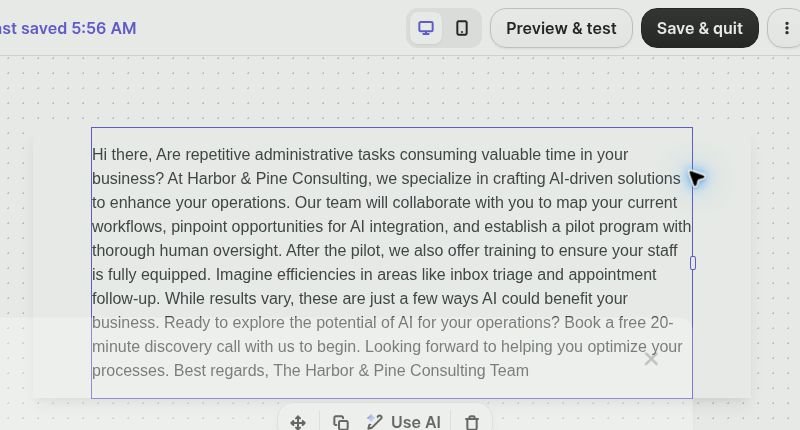
I asked it to remove the subject and placeholder from the body, add staff training after the pilot, change the greeting to “Hi there,” preserve the free 20-minute call, and avoid a made-up URL or performance claim. The revised version made those requested changes. It described staff training and kept the workflow examples conditional. This was a useful revision, although phrases such as “enhance your operations” remained broad and would benefit from an editor’s pass.
Subject Line and Factual Accuracy
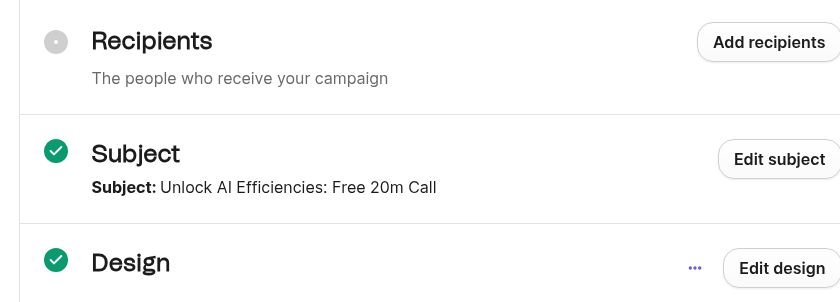
The separate subject-line assistant offered three options: “Unlock AI Efficiencies: Free 20m Call,” “Boost Business Efficiency: Explore AI Now,” and “Optimize Tasks with AI Solutions.” I saved the first option in the test draft. It reflects the invitation but “20m” feels compressed; I would write “20-minute” for a real audience. The AI did not invent a case study, statistic, client, or award in the observed outputs. This is a finding from this one run, not a guarantee about all Brevo generations.
Is the Draft Ready to Send?
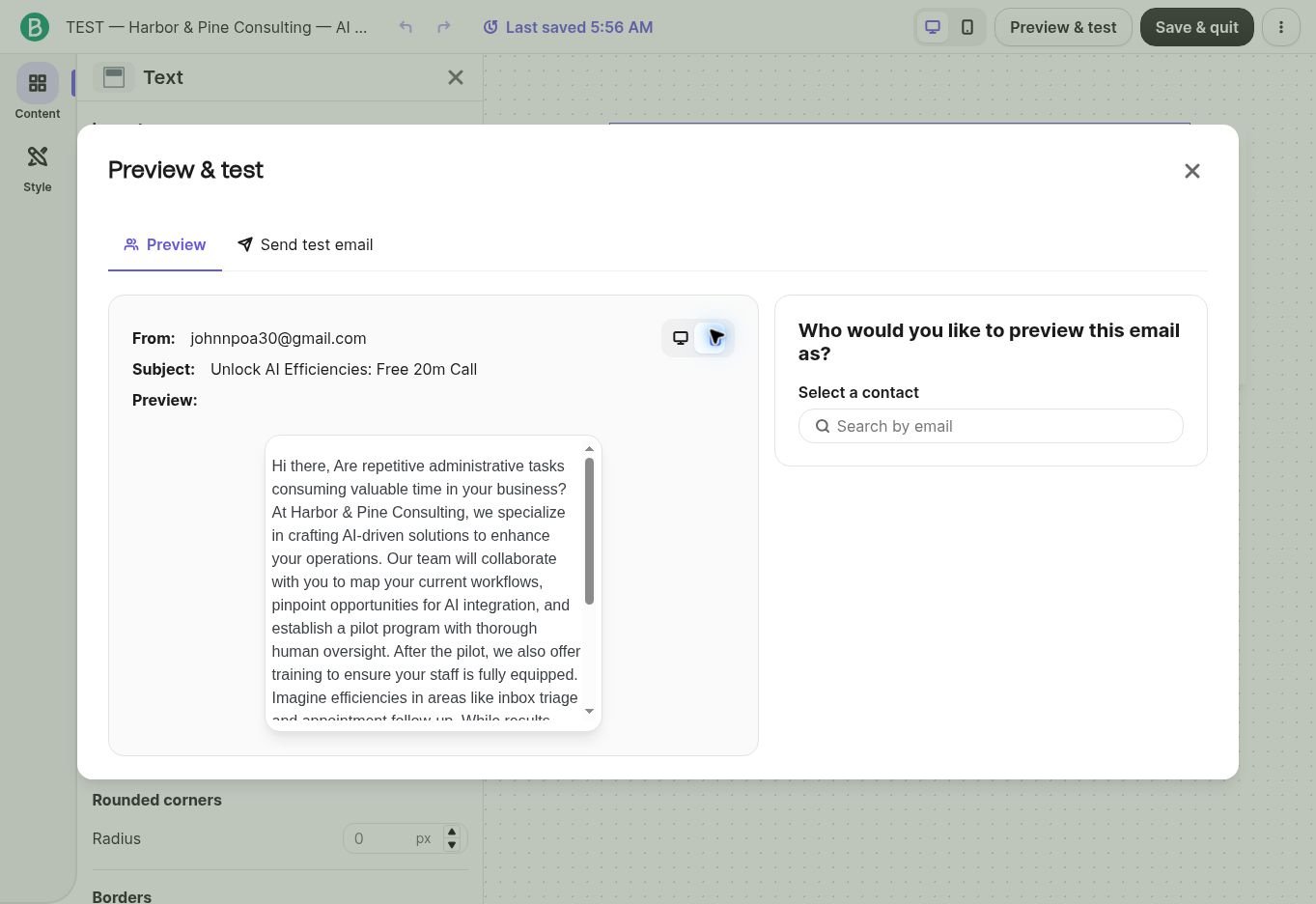
No. The revised copy appeared as one continuous paragraph in the drag-and-drop editor. The narrow preview was readable but required scrolling in a small panel; it did not show a designed hierarchy, button, or verified destination for the booking request. I would divide the message into short paragraphs, add a real booking URL and a clear button, then preview the finished version on common desktop and mobile email clients. The free account also displayed a notice that removing the “Sent by Brevo” footer logo requires an upgrade.
I selected the account’s own Gmail address in Brevo’s “Send test email” panel and clicked “Send Test” twice. The button briefly disabled and then became available again, without a persistent delivery confirmation or error in the view I inspected. A Gmail search across all mail, including Spam and Trash, found no message matching the subject or the company name after either attempt. The test email was therefore not observed in the inbox. I cannot determine from this evidence whether Brevo handed it off, it was blocked, or it failed later. No deliverability or campaign-performance result is claimed. Brevo also displayed a notice that phone verification would be needed before sending the first campaign or messages.

Brevo Pricing and Free-Plan Limits
Pricing last checked: September 25, 2026. Brevo lists Free at $0, Starter from $9/month, and Standard from $18/month on its US pricing information. The Free plan includes up to 300 email sends per day and Aura; our account’s plan comparison showed the AI content generator included in Free. Standard adds features such as A/B testing and AI send-time optimization. The price and feature mix can vary by currency, billing period, volume, and add-ons, so verify the official page before purchase: Brevo pricing and Brevo plan details
Who Should Skip Brevo Aura?
Skip it if you only need occasional text generation and do not want an email marketing platform. It is also a poor fit if you expect a prompt alone to deliver a fully designed, linked, tested, and sent campaign. Businesses needing A/B testing or AI send-time optimization should check the paid-plan requirements before choosing a plan.
Final Verdict
Aura was helpful as an assistant inside the campaign workflow: it drafted a relevant email, produced subject options, and obeyed a detailed revision request. The test also exposed the manual work that sits between generated copy and a professional email. For a small business already using Brevo, I would treat Aura as a first-draft tool and review every factual claim, link, layout choice, and recipient setting before sending.
FAQ
Is Brevo Aura available on the Free plan?
Yes. I generated and edited copy and generated subject lines in a Free account on September 25, 2026. Brevo’s plan documentation also lists Aura with Free.
Did this test measure open rates or conversions?
No. It evaluated one draft workflow and preview. There were no customer recipients or live campaign metrics.
Did Aura invent customer results?
It did not in the observed generation and revision. The original brief explicitly prohibited unsupported claims; any new output still needs review.
Recommended Reading
Best AI Tools for Small Business in 2026
Canva AI Review 2026: 5 Real-World Small Business Tests
Leave a Reply