
Airtable Automations vs Make is a practical decision for a small business already using Airtable: can native AI and automations handle the workflow, or does it need Make? That is the question I wanted to answer with this comparison.
For a broader view of the tools I am testing for business use, see Prompt Atlas's Best AI Tools for Business in 2026 hub: Best AI Tools for Business. This comparison focuses on one narrower decision: keeping automation inside Airtable versus adding Make when a workflow needs to move across apps.
I tested Airtable hands-on with customer-support records, AI classification, priority assignment, generated responses, and a native automation. I also used my recent hands-on Make test, where Gmail fed a Make AI Agent that handled triage and prepared a Gmail draft. The workflows are not identical, so I compare what each approach actually demonstrated rather than pretending they were a laboratory-style head-to-head test.
Quick Verdict
Best for Airtable: Workflows where the important data already lives in a table and the team wants AI classification, prioritization, and generated content directly inside those records.
Best for Make: Multi-app workflows that need to move data between services and expose the automation logic visually.
Main trade-off: Airtable kept AI work close to the records and was simpler for this data-first use case. Make required more workflow setup, but it was more natural when Gmail, AI processing, triage, and a customer draft had to work across applications.
My tests did not produce a universal winner. Airtable was more self-contained for record-based work; Make gave me more control when the workflow had to cross application boundaries.
How I Compared Airtable Automations and Make
For this Airtable Automations vs Make comparison, I ran five practical Airtable checks that build on one another. I then compared those results with my recent hands-on Make test:
- Can the system classify a clear customer-support request?
- How does it handle an ambiguous message?
- Can AI assign priority using explicit criteria rather than guessing urgency?
- Can it generate a useful customer-facing response without inventing missing facts?
- Can an AI result feed an automated next action?
For Airtable, I used a 14-day Team trial shown in the test environment. The trial screen displayed 7,500 AI credits for the trial workspace. That is the environment documented in the screenshots below; it should not be confused with Airtable's standard monthly plan allocation.
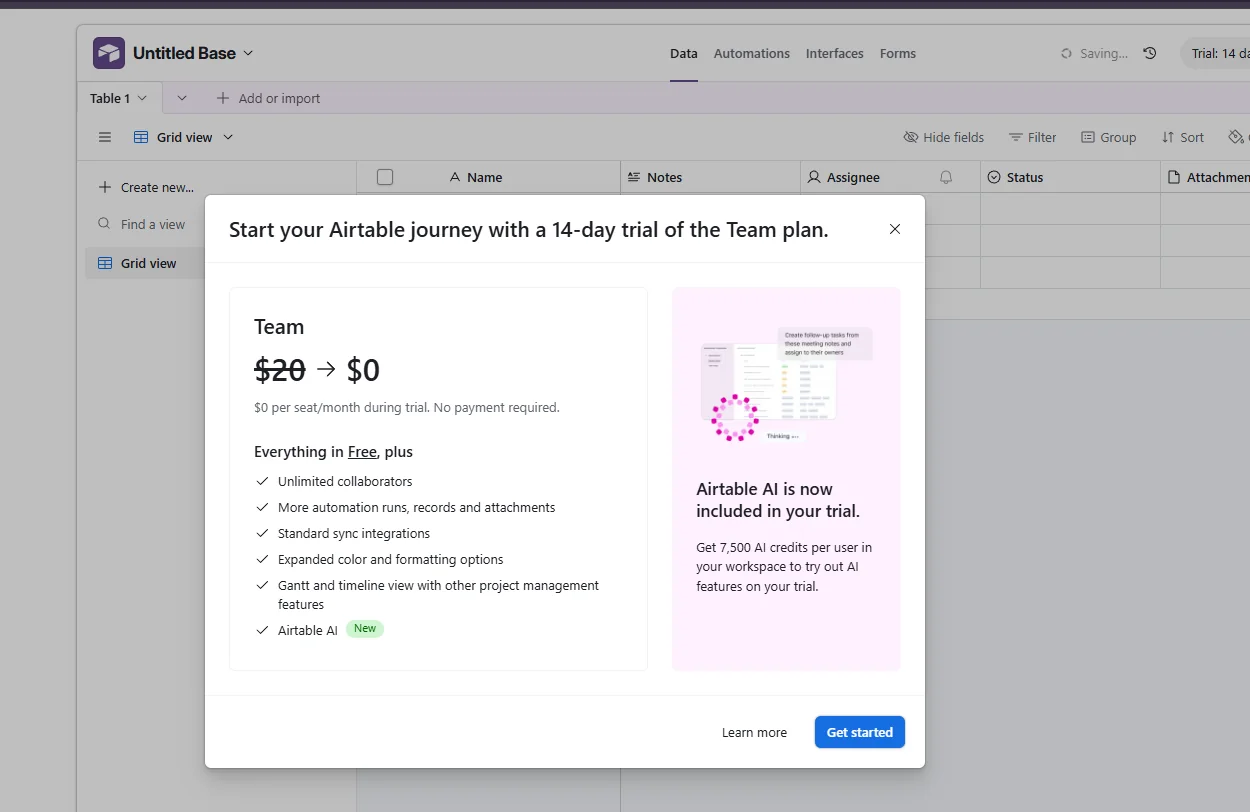
Airtable test environment: 14-day Team trial with Airtable AI included.
Airtable Automations vs Make: Quick Comparison
| Area | Airtable | Make |
|---|---|---|
| Workflow model | Records, fields, Field Agents, and built-in automations | Visual scenarios connecting apps, modules, and AI agents |
| Best fit in my tests | AI acting on data already stored in the base | Cross-app automation with Gmail and AI |
| Clear classification | Worked in my Airtable test | AI Agent classified customer requests in the Make workflow |
| Priority handling | High/Medium results followed explicit criteria | AI Agent returned priority as part of structured triage |
| Customer reply | Generated inside an AI Response field | Agent prepared a Gmail customer draft |
| Automation evidence | Live run confirmed in Run history | Scenario ran, but trigger scope and polling needed troubleshooting |
Test 1 — Clear Customer Request Classification
I started Airtable with a clear support case from Sarah Mitchell. The message described an order that arrived six days late and included damaged items. I configured the Category Field Agent to choose exactly one category from the available options based only on the Customer Message field.
Airtable returned Refund / Complaint. That matched the substance of the message and did not require the model to infer an unstated problem.
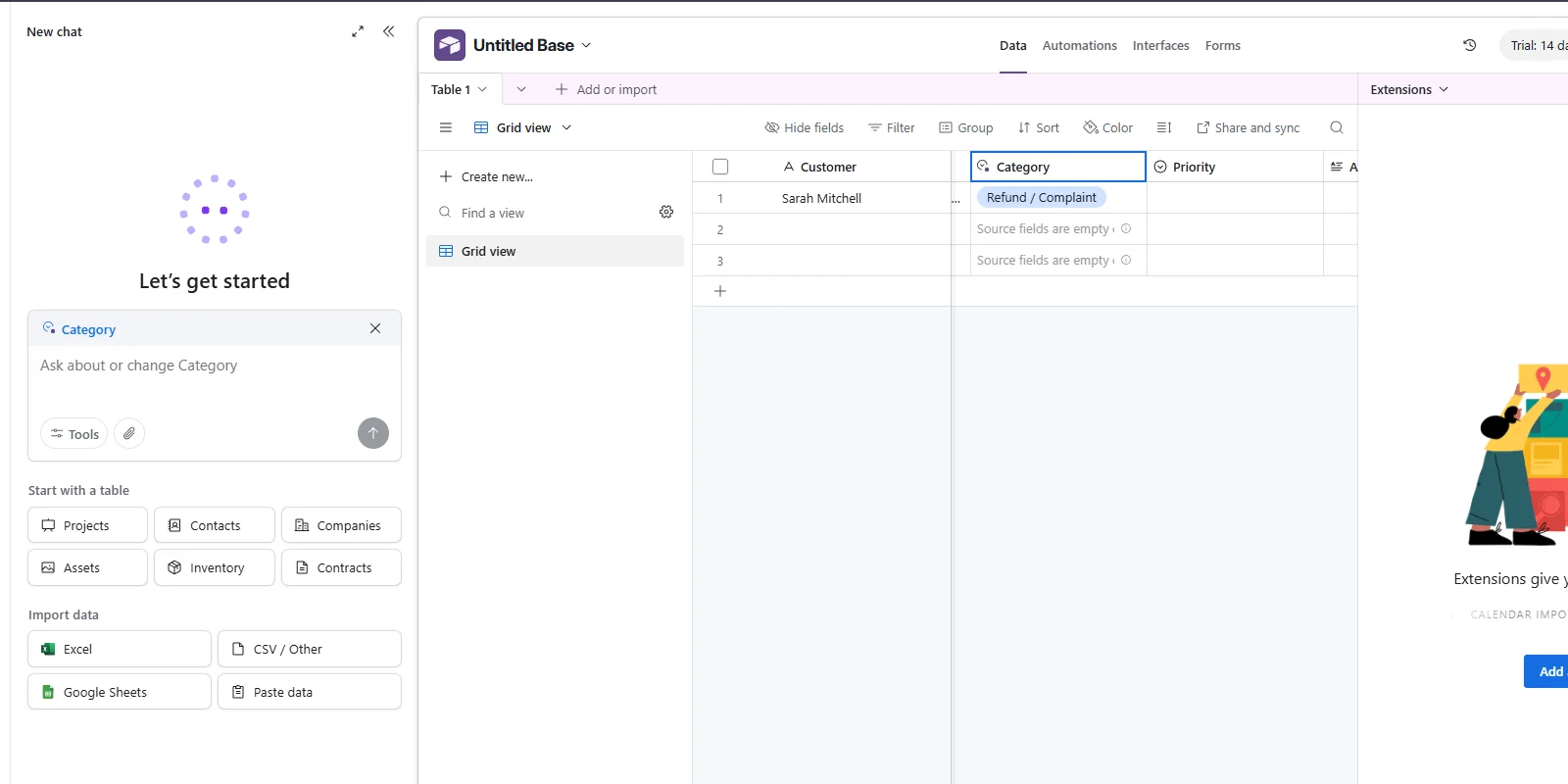
Test 1: Airtable classified Sarah Mitchell's message as Refund / Complaint.
Airtable result: Pass.
In my recent hands-on Make test, the AI Agent also handled customer-support classification as part of a larger Gmail triage workflow. The difference was architectural: Make classified the incoming email while moving it through a multi-app scenario; Airtable classified a record already stored in the base.
Test 2 — Ambiguous Message
The second Airtable message was deliberately less clear. Daniel Brooks said that something seemed wrong with his order but that he did not know whether the issue happened during shipping or before the order was sent.
Airtable again selected Refund / Complaint. I consider that defensible, but not definitive: Shipping / Delivery was also plausible. The important limitation is that the agent selected one category even though the message itself preserved uncertainty.
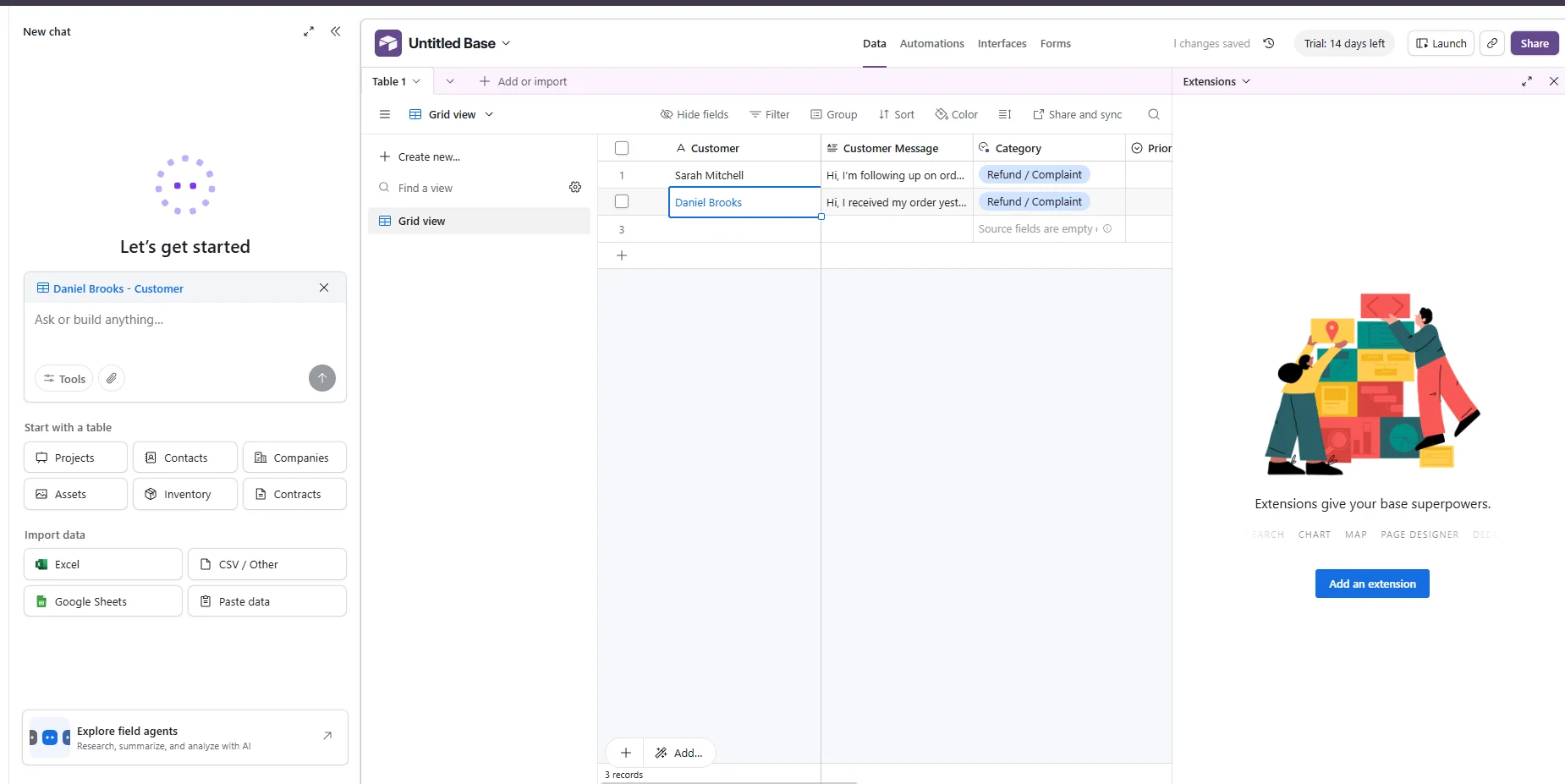
Test 2: both messages were classified as Refund / Complaint, including Daniel's ambiguous case.
Airtable result: Pass with a caveat — the classification was plausible, but the ambiguity was not surfaced.
This is where a workflow designer needs to decide whether forcing one label is actually desirable. For ambiguous support data, a fallback such as Other, Needs review, or an explicit confidence check may be safer than treating every classification as certain.
Test 3 — AI Priority Assignment
Next, I added a Priority Field Agent with explicit rules. High priority was reserved for messages that explicitly described urgent timing, a missed deadline or event, financial impact, or a problem preventing use. Medium was for a clear problem requiring attention without explicit urgent impact. The instructions also told the agent not to infer urgency that was not stated.
The results were sensible: Sarah was marked High, while Daniel was marked Medium. Sarah's message included a missed event and damaged items; Daniel described a problem but no comparable urgent impact.
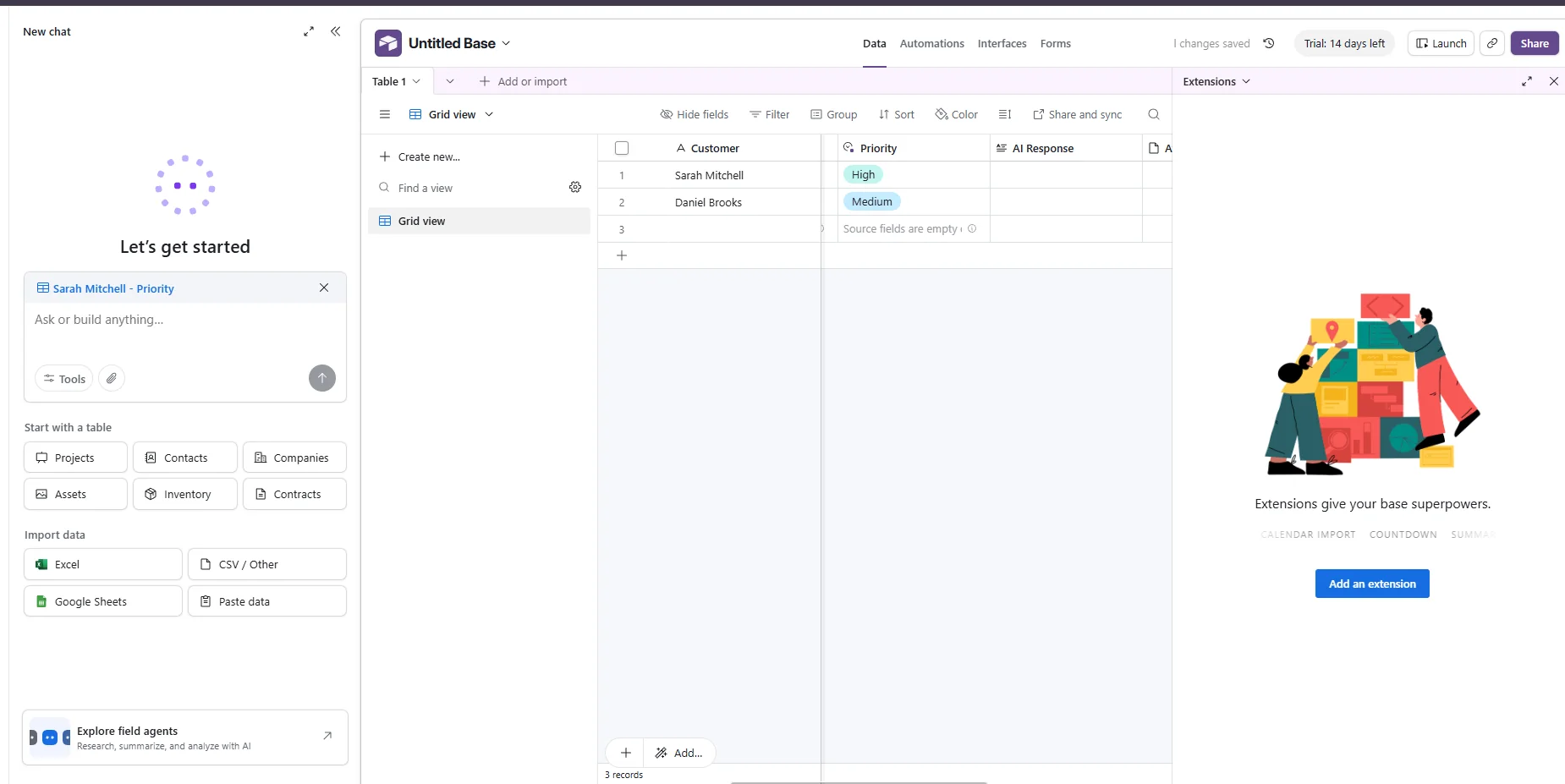
Test 3: Airtable assigned High to Sarah and Medium to Daniel.
Airtable result: Pass — the two records were separated according to the explicit priority criteria.
Make handled priority inside the AI Agent's structured triage. In the most consequential Make case, a customer demanded an immediate full refund, mentioned late delivery and poor quality, threatened a chargeback, and supplied an uncertain order number. The agent treated it as high priority while avoiding an unsupported refund authorization.
Test 4 — AI-Generated Customer Response
For Daniel's ambiguous case, I tested an AI Response field. Instead of pretending to know what was wrong with the order, Airtable generated a response that acknowledged the message and asked for more details about the problem.
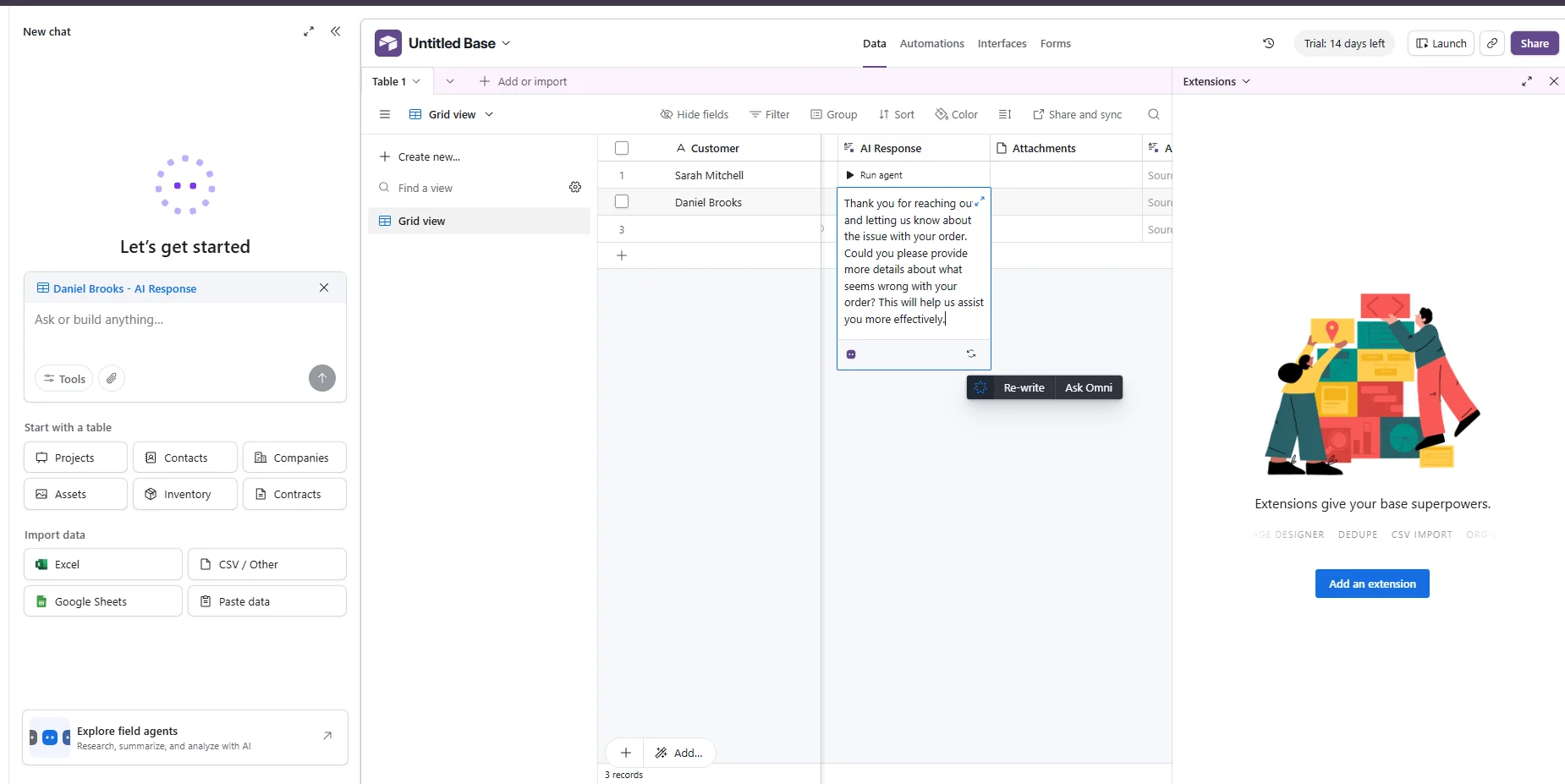
Test 4: Airtable asked Daniel for more information instead of inventing the missing order problem.
Airtable result: Pass — the response was useful and appropriately cautious.
This was also one of the stronger behaviors in my recent hands-on Make test. When the refund request became consequential, the Make AI Agent did not promise a refund without a supplied policy or verified order details. It recommended verification and prepared a customer-facing Gmail draft instead of making the refund decision itself.
Test 5 — Turning AI Priority Into an Automation
The final Airtable check asked whether an AI-generated priority could feed a native next step. I created a fresh case for Emily Carter, and the Priority agent classified it as Urgent. Because the original trigger was set to High, I updated the live trigger to If Priority is Urgent. To test the trigger behavior itself, I then manually changed Emily's Priority from Urgent to Medium and back to Urgent, so the record entered the matching condition after the automation was active.
The live automation fired successfully. Airtable updated AI Response to “High-priority case flagged for immediate follow-up.” The Run history recorded the execution as “Ran successfully” on September 29, 2026 at 8:51 AM. The Priority field had four levels — Low, Medium, High, and Urgent — and the static action message still used the wording “High-priority” even though this live trigger was Urgent. Result: Pass.
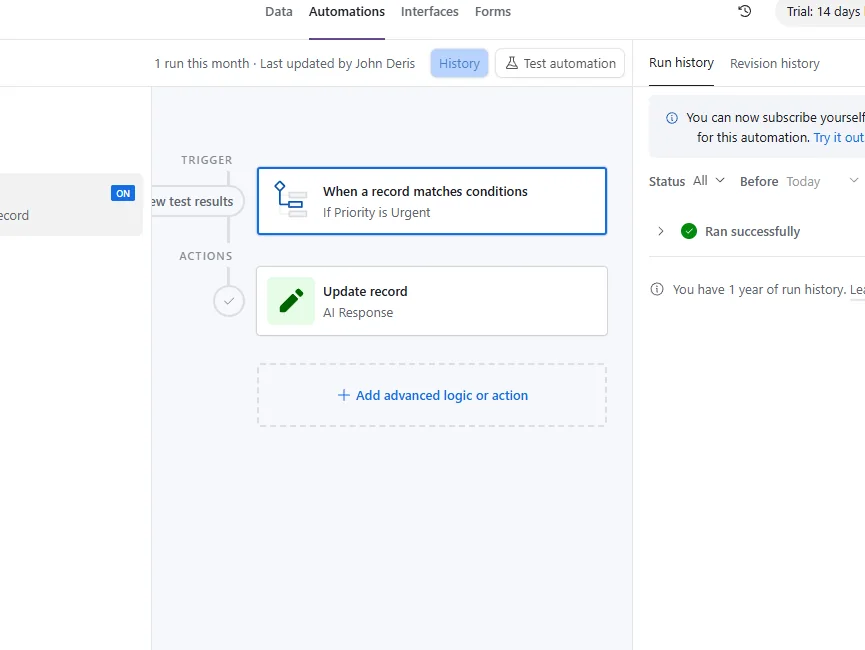
Test 5: Airtable live automation with the Urgent trigger, Update record action, and successful run history.
Airtable result: Pass — live run confirmed.
This confirmed the trigger-to-action portion of the workflow with a real live run: after I manually moved the record back into the Urgent condition, Airtable updated the intended field and logged the execution successfully. The Priority agent had assigned Urgent earlier, but this run should not be read as proof of a fully hands-off AI-to-automation chain.
Where Make Was Stronger in My Testing
Make's advantage appeared when the workflow crossed app boundaries. In my recent hands-on Make test, the scenario used Gmail as the trigger, passed the message to a Make AI Agent, created internal triage, and gave the agent a Gmail tool for preparing a customer-facing draft. I could see those pieces as modules in the Scenario Builder.
That made Make a more natural fit for a workflow where email, AI reasoning, internal routing, and a customer draft all had to cooperate. Airtable can integrate with other services too, but the hands-on Airtable test I ran was strongest when the records and AI actions stayed inside the base.
Where Airtable Was Stronger in My Testing
Airtable required less conceptual distance between the business data and the AI output. Category, Priority, and AI Response were fields on the same records. I could inspect Sarah and Daniel side by side and immediately see what the AI had done.
That is useful for teams that already manage customers, requests, campaigns, content, inventory, or operations in Airtable. Instead of sending every record through an external automation platform just to classify or summarize it, a Field Agent can work at the cell level.
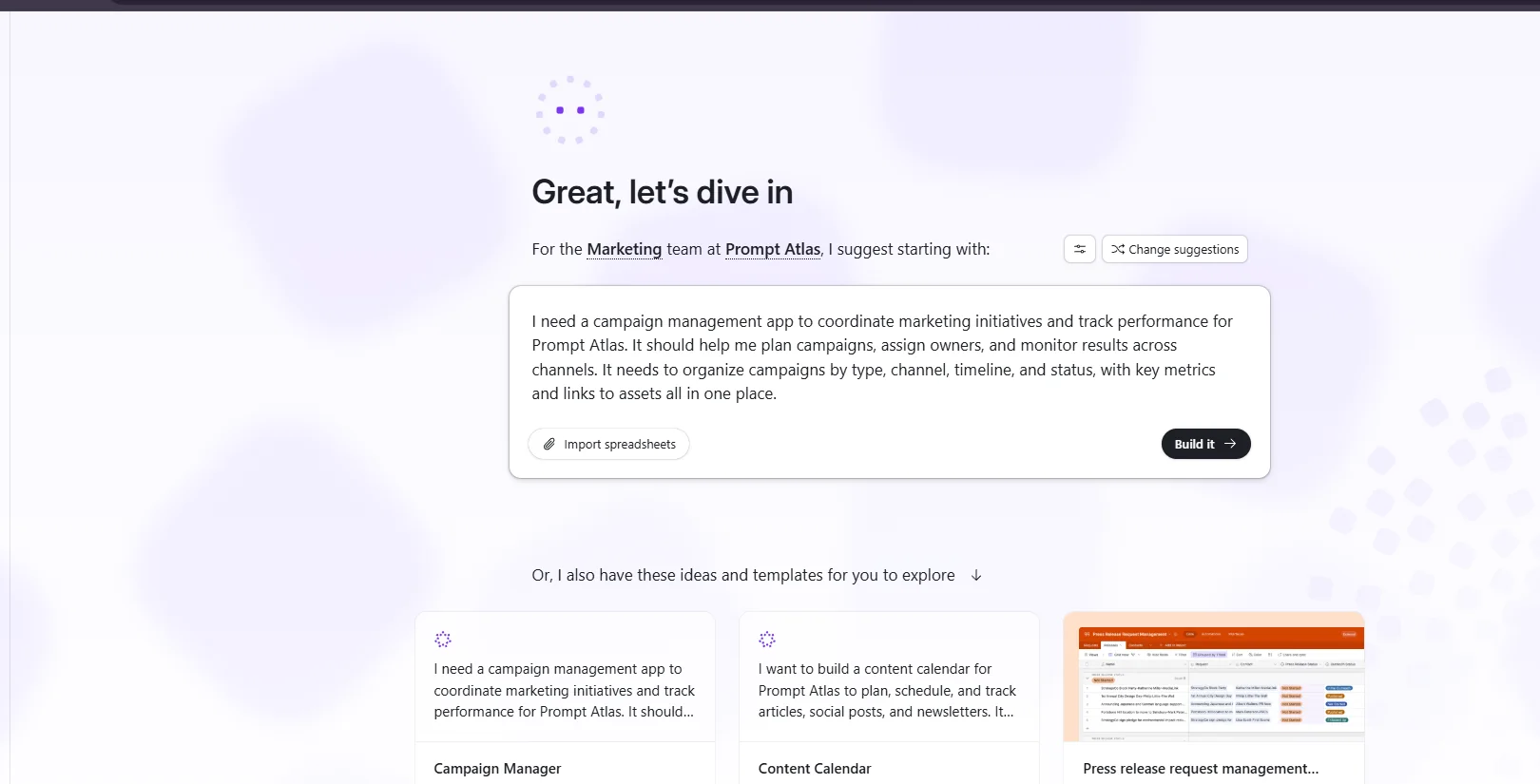
Airtable's onboarding suggested a Prompt Atlas campaign-management app, illustrating its data-first approach.
The Problems I Hit
Airtable: trigger states need to be planned carefully
The live test exposed an important setup detail rather than a failed automation: “When a record matches conditions” fires when a record starts matching the condition. A record that already matched before the automation was live did not create a new run. I also had to align the trigger with the Priority agent’s actual output, Urgent rather than High. I then manually moved Emily from Medium back to Urgent to create a fresh state transition, and the automation ran successfully.
Make: Gmail trigger scope and polling/checkpoint behavior
Make produced a different kind of friction. My initial Gmail trigger was too broad and picked up the original test message, replies, and internal triage messages, creating duplicate or loop-like processing. I narrowed the Gmail query to the exact test subjects. I also encountered polling/checkpoint behavior: a message that had already passed the trigger was not picked up until I sent a new message and reran the scenario.
That experience reinforced a broader lesson from both tools: good AI output does not rescue weak automation logic. Trigger conditions, possible field values, record states, and execution timing still matter.
AI and Pricing in 2026
Pricing last checked: September 29, 2026.
Airtable's current documentation says Field Agents are AI-powered fields that can retrieve, analyze, or generate data at the cell level. Its AI billing documentation lists 500 monthly AI credits per qualifying Free-plan user and 15,000 per billable collaborator on Team, with credits pooled at the workspace level. The Team plan is listed at $24 per collaborator per month when billed monthly or $20 per collaborator per month when billed annually.
Make now uses credits as its billing unit. Standard non-AI operations generally use one credit per operation, while built-in AI usage can vary with operations, model, and token consumption. Make's AI Provider is available across plans; custom AI provider connections are available on paid plans.
Because both products use consumption-based mechanics around AI, I would not choose based on the headline plan price alone. Estimate how many records or emails will be processed, how many automation steps will run, and how much AI input/output each workflow needs.
Which Tool Fits Which Small-Business Workflow?
| Scenario | Airtable fit | Make fit |
|---|---|---|
| Customer requests already stored in Airtable | Strong | Useful if other apps must be involved |
| Classify, prioritize, or summarize records | Strong | Strong, but adds an external workflow layer |
| Gmail → AI → internal triage → Gmail draft | Possible with integrations | Strong in my hands-on test |
| Complex multi-app branching | Possible, depending on design | More natural in the visual Scenario Builder |
| Team needs to inspect AI outputs beside source data | Very natural | Requires following scenario outputs/logs |
Final Verdict: Airtable Automations vs Make
The useful distinction in Airtable Automations vs Make is where the automation should live. My tests show how each approach behaves in its own workflow.
Airtable was the more direct fit when the source data, AI classification, priority, and generated response all belonged inside the same operational base. For a small business already working in Airtable, I would test its native Field Agents and automations before adding another platform.
Make became more compelling when the process crossed application boundaries. My Gmail → AI Agent → internal triage → Gmail draft scenario made the multi-app logic visible and gave me more room to orchestrate external services, although trigger scope and polling required troubleshooting.
So the practical decision is simple: start with Airtable when the workflow is record-centric and can stay inside the base; consider Make when the workflow needs to coordinate several apps, branching steps, or external actions.



Leave a Reply